Start your 3-day free trial
Sign up to experience all premium features at no cost.
*Available only to new users. Each user is limited to one trial.
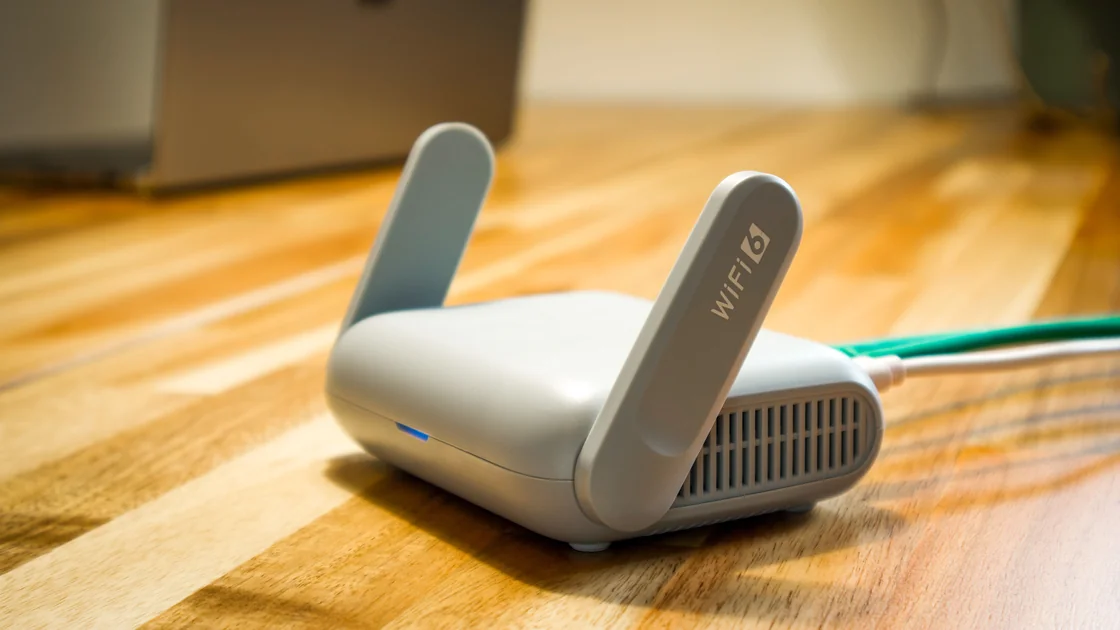

OpenClash setup puts a router plugin in charge of a Mihomo core, traffic capture, and DNS integration. A dependable installation starts with matching firmware, package format, firewall backend, and core architecture, then verifies one authorized client before widening coverage. Keep a wired recovery path and restore the original routing and DNS if any acceptance check fails.[1][2]
Key Takeaways
- The LuCI plugin package and the executable proxy core are different components.
- OpenWrt 25.12 uses apk; older opkg instructions are not interchangeable.
- Import only configurations you own or are authorized to use, without online conversion.
- A running core does not prove client traffic, DNS, IPv6, or management access works.
The plugin baseline is OpenClash v0.47.156. Use its release instructions and versioned dependency definition with a maintained, hardware-supported OpenWrt installation; the primary branch here is OpenWrt 25.12 with apk and firewall4/nftables. OpenWrt's release announcement identifies the apk transition and the end of 24.10 security updates after September 2026. Do not select an unsupported older firmware simply because a tutorial has familiar opkg commands.[1][2][3]
This is a reader procedure based on official materials, not an author end-to-end router test or a blanket compatibility claim. The upstream user guide describes plugin ownership and controls, but it is a moving document; v0.47.156 release and source take precedence for that baseline. Record the actual firmware build, plugin, core version, and CPU architecture together.[4]
The self-hosting decision guide helps establish the operator and recovery responsibilities. If the real requirement is one terminal's internet access, compare device-wide and app-specific exit scope before changing a gateway for everyone. This procedure does not imply that a managed VPN provides OpenClash subscriptions or router support.
Use a router you own or may administer, with physical access and a wired client on a known LAN port. Read the device's OpenWrt support and recovery instructions before any package change. Follow the router firmware preparation checklist to identify the exact model, flash layout, management address, and recovery method.
Read-only inventory on the authorized router can establish the starting point. Do not paste the full output publicly if it contains identifying addresses or device details. command -v only reports available tools; it does not establish which backend actually owns the running firewall.
ubus call system board
uname -r
df -h /overlay /tmp
command -v apk
command -v opkg
command -v nft
| Component | Required match | Stop condition |
|---|---|---|
| Device and firmware | Supported hardware and maintained firmware build | Unsupported model or no usable recovery |
| Package format | apk with the matching .apk package on 25.12 | Attempt to install an .ipk through apk |
| Firewall backend | firewall4/nftables dependencies on that branch | Mixing legacy iptables and nftables recipes |
| Kernel modules | Modules built for the installed kernel and feeds | ABI or dependency mismatch |
| Proxy core | Supported Mihomo binary for the actual CPU/ABI | Unknown build, wrong architecture, or unsupported fields |
| Storage and memory | Capacity for plugin, core, rules, and updates | Package transaction or extraction lacks space |
The v0.47.156 dependency definition includes dnsmasq-full, bash, curl, ca-bundle, ip-full, Ruby/YAML, kmod-tun, and unzip; firewall4 selects nftables-related support. These names describe requirements, not a command to replace the running DNS service blindly. A different package family or kernel feed needs its own compatibility check.[2]
The plugin's architecture-independent LuCI package does not make the core architecture-independent. Select the supported executable through the project's documented core management and check the reported version. Do not treat plugin version 0.47.156 as the Mihomo core version or silently select a nightly build.
If you run ImmortalWrt and the matrix rules out OpenClash, HomeProxy is another plugin with its own install and rollback checks; stock OpenWrt feeds do not ship it.
In LuCI's backup/firmware section, generate a configuration backup and save it privately off the router. Also retain the exact supported firmware image, package list, existing DNS and default-route settings, and any existing OpenClash profile and override files. A configuration archive is not automatically a full firmware image or a copy of every manually installed package.[3]
Verify that you can reach the known management address over the wired recovery path before proceeding. Record how to stop the plugin and restore DNS without depending on the tunnel you are about to create. Keep other users' gateway services and everyday proxy or VPN clients unchanged; do not make a router-wide experiment on an unapproved shared network.
Obtain v0.47.156 from the official project release, choosing the package format matching the installed firmware. Use the release's nftables/apk dependency branch on the primary system here; older ipk/opkg or iptables branches are identification references, not alternatives to paste into the same router. Review the package transaction before accepting it.[1]
Use LuCI's supported package-upload installation if it handles the release asset on your firmware. If signature trust, conflicts, or dependencies block the install, stop and resolve that condition using the project and firmware documentation. Do not bypass the failure with force-overwrite, dependency suppression, or a general unsigned-package exception. A random one-line installer or third-party repack is not a recovery shortcut.
Keep the plugin disabled until its core, configuration, and recovery settings are ready. Installing an interface is only a package step; it is not evidence that the router is ready to intercept traffic. If a transaction changes DNS packages, verify that the original LAN resolver still answers before continuing.
Prepare a configuration you own or have permission to use, whose protocol and fields are supported by the selected core. Import it through the plugin's configuration management, check the selected profile, and inspect the resulting effective configuration after overrides. Follow the credential-safe configuration workflow rather than sending a subscription to an online converter.
If a subscription is necessary, use only its authorized source and keep its URL private. Disable scheduled refresh during the bounded setup test so it cannot silently replace the profile being evaluated. Do not publish QR codes, provider tokens, complete profiles, or debug archives containing account data.
Check the node endpoint, authentication, TLS identity, supported transport, and intended rules without claiming a connection has succeeded. Do not use insecure certificate settings to repair a mismatch. Validate the configuration through the selected core/plugin's documented checking mechanism; accepted syntax does not prove endpoint reachability or authorization.
Secure the control plane before starting capture. Inspect the generated controller listener and Secret, including any router dashboard entry. The Mihomo controller protection procedure covers narrow listening, unauthorized rejection, trusted dashboard files, and credential rotation. Keep router management and controller access off the WAN unless a separately designed, authenticated entry is authorized.
In the plugin settings, select a documented operating mode supported by the installed core and firewall backend. DNS address behavior and traffic interception are different controls: Fake-IP or Redir-Host is not a substitute for capture and return routing. Do not choose a label solely because a screenshot from another firmware uses it.[4]
Begin with one authorized client using access-control settings, and keep the wired management client outside the captured set. Record the DHCP-provided resolver, dnsmasq forwarding path, plugin DNS listener, upstream bootstrap path, and core outbound route. The router's own requests originate differently from a forwarded client's requests and require a separate policy.
Preserve the original LAN DNS authority and local records. An exception for a local hostname must still reach the resolver that knows that name; public DNS is not a replacement for local naming. Avoid enabling two competing DNS interception owners or changing every device's browser encrypted-DNS setting during setup.
In v0.47.156, open Services → OpenClash → Plugin Settings → Black&White. Select White List Mode (lan_ac_mode=1) and put only the test client's fixed LAN address in LAN Proxied Host List (lan_ac_white_ips); leave the management client out. With Fake-IP, first select DNS Settings → Redirect Local DNS Setting → Firewall Redirect (enable_redirect_dns=2). Upstream requires this DNS setting for Fake-IP client access control; a shared dnsmasq forwarding path alone does not establish per-client isolation. Save the previous values before applying, then compare the excluded client's fresh DNS answers and traffic path with its baseline as well as checking management. If exclusion fails, stop the plugin and restore those saved settings before proceeding.[5]
IPv6 must have an explicit scope. If your chosen plugin mode does not establish the required IPv6 path, mark that path outside the accepted coverage and do not promise protection for it. Do not disable IPv6 or browser security features globally just to match a simple example. Keep direct exceptions and any intended fallback documented before testing.
Start the plugin through its normal LuCI control only after the previous checks are complete. Confirm the selected core starts and inspect locally retained startup diagnostics. A green service indicator or open dashboard proves neither the original client's task nor its resolver path.
Use the following as expected acceptance conditions, recording your own results. Choose test destinations and UDP services you control or are permitted to contact. Keep evidence limited to the test client and avoid packet capture of other household or workplace users.
| Check method | Expected observation | Failure action |
|---|---|---|
| Read core startup and selected profile | Intended version and configuration load | Stop plugin and correct core/profile mismatch |
| Repeat the client's actual task | Task follows intended rule and outbound | Trace capture and outbound separately |
| Compare client DNS with effective settings | Query uses the planned resolver path | Restore baseline DNS before broadening capture |
| Test required UDP and IPv6 paths | Each meets its declared scope | Restrict scope or stop; do not infer from TCP |
| Request from the router itself | Router-originated policy is understood | Check bootstrap and self-proxy exclusions |
| Reach LuCI/SSH over the wired path | Management remains independent | Stop capture and use recovery immediately |
| Stop the core during the bounded test | Observed failure/fallback matches the design | Reject unintended direct escape |
When public egress is part of the task, check the test request's visible exit, then verify DNS, IPv6, UDP, and disconnect behavior separately. A changed public address is not proof that every LAN device or the router itself uses that path. Keep unaffected clients available as a baseline.
After successful acceptance, save only the intended persistent configuration and verify the lifecycle in an authorized maintenance window. Reboot testing is optional if it would disrupt the network; if omitted, record persistence after reboot as unverified rather than claiming it. Do not widen access control until the bounded checks and recovery have both passed.
Use the plugin's normal stop control; on the authorized router its service command is shown below. This affects OpenClash only, not other proxy or VPN applications. Disable its automatic start through the normal control if the deployment is being withdrawn.
/etc/init.d/openclash stop
Compare default routes, policy rules, firewall objects, DNS forwarding, and local resolver behavior with the saved baseline. A stopped process does not prove generated networking state has disappeared. Restore only settings changed for this installation, using the original firmware's supported controls, and verify one new client connection and management access.
If management is lost, use the previously prepared wired or device-specific recovery path. Recover the original DNS service and configuration before depending on internet downloads. Do not flush the entire firewall, factory-reset as a first response, or remove unrelated gateway routes to make a test pass.
Uninstall only after traffic and DNS no longer depend on the plugin, and retain private profiles until recovery is confirmed. The versioned package has removal behavior affecting its own files, so stopping, backing up, and uninstalling are distinct actions. Revoke any exposed subscription or node credential rather than merely deleting its local copy.[2]
The LuCI plugin manages configuration and networking, while a separate core executes proxy traffic. Record both versions and select a core binary matching your router's architecture and supported features.
OpenWrt 25.12 uses apk, so the package format and transaction commands differ. Use the matching maintained firmware branch instead of mixing old ipk instructions into an apk installation.
Stop on a kernel or dependency mismatch. Modules must match the installed firmware and feeds; forcing the transaction can break networking without establishing the missing capability.
A subscription can expose reusable credentials and endpoint details. Import authorized configuration locally, and use a trusted source rather than sending its contents to an unrelated converter.
A dashboard proves only access to the management interface. Verify the selected client's original task, DNS, IPv6, UDP, and fallback separately, including router-originated requests where relevant.
Do not make a global IPv6 change merely to simplify acceptance. Specify and verify the supported path, or state the coverage limit before the deployment is used more broadly.
Uninstallation is not a substitute for comparing routes, firewall, and DNS with your saved baseline. Stop the plugin, restore its dependencies deliberately, and confirm management and new client connections before removing it.
Disclaimer: The instructions describe official interfaces and expected reader checks; no complete author router experiment or tested compatibility matrix is claimed. Use an authorized network and the device's documented recovery procedure.
Sources:
Sources checked 11 October 2026.
Related articles:
Sign up to experience all premium features at no cost.
*Available only to new users. Each user is limited to one trial.