Start your 3-day free trial
Sign up to experience all premium features at no cost.
*Available only to new users. Each user is limited to one trial.
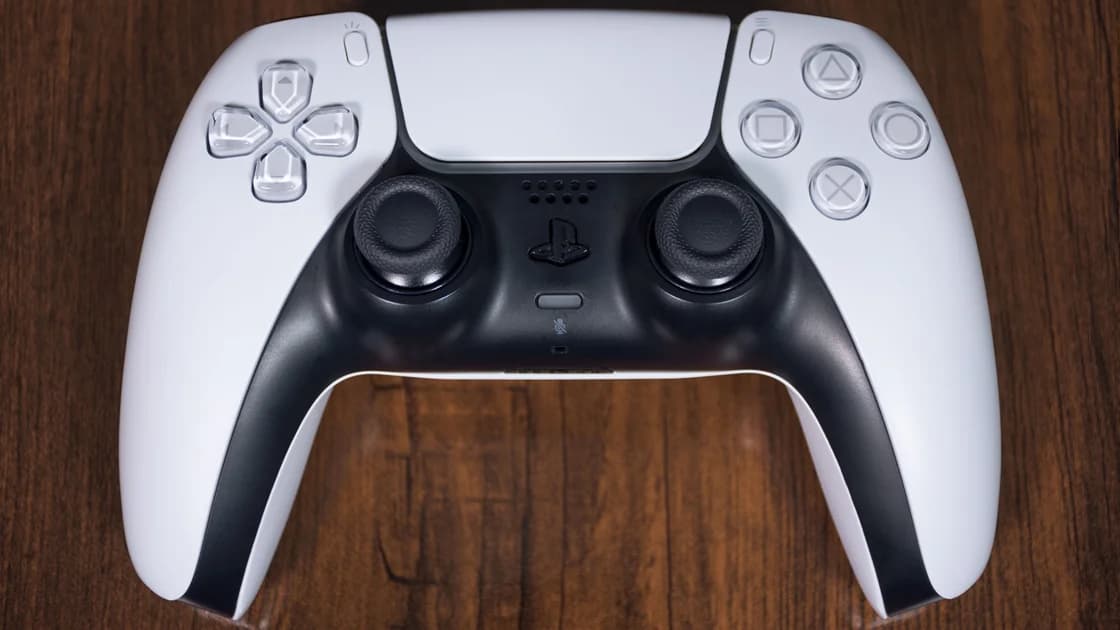

PlayStation Network in China has no single yes-or-no answer: account access, the store, downloads, and a game's multiplayer service are separate tasks. Sony's mainland terms explicitly say that some services and features are unavailable because of legal or licensing restrictions; registering an account does not establish entitlement to everything. This guide distinguishes those boundaries from a slow or failing connection, without claiming a mainland network test.[1]
Key Takeaways:
- Identify the console version and account country before diagnosing PSN.
- A successful sign-in proves neither store eligibility nor multiplayer access.
- Match vouchers and downloadable content to the appropriate account or game region.
- Compare a repeatable task on an authorized connection before changing settings.
PSN is the account and service environment behind several different activities. A console reaching Sony's sign-in service is one result; a title reaching its publisher's game servers is another. Keep those results separate when deciding whether to take a console to mainland China or buy a subscription for a particular game.
Sony's mainland terms describe availability by country or region and warn that creating an account does not grant every service or feature.[1] That is a service boundary, not a forecast of download speed. Neither a mainland support website nor an overseas store page provides evidence that your particular account, hardware, and title will complete their tasks on your connection.
For a broader connection problem affecting several unrelated apps, start with the mainland app-access diagnosis. For PSN, write down the operation that failed: sign-in, finding a listing, purchasing, downloading, or joining a match. “PSN doesn't work” omits the information needed to choose the next action.
| Task | Check first | A useful result | What remains unproven |
|---|---|---|---|
| Account sign-in | Account identity and verification access | Your profile opens in the intended client | Store purchases and multiplayer |
| Store browsing | Account country and exact game listing | The correct edition is offered | Payment eligibility and installation |
| Purchase or redemption | Billing, voucher country, and entitlement | The transaction appears in your account | Download completion and gameplay |
| Game download | Free space and actual progress | The complete download installs | A game's online servers |
| Multiplayer | Title, subscription requirements, and publisher status | A session starts and remains usable | Every title or another network |
Account country is a property of your identity, not the language selected on the console. Sony says it cannot be changed after account creation. It also requires voucher country to match the account and explains that additional content may not work with a disc from a different region.[2] Record these facts before spending money on a code or add-on.
A mainland retail console and an imported console should not be treated as interchangeable merely because both display a PS5 or PS4 logo. Confirm the precise model, supported account arrangement, and current official documentation for that hardware. This article does not provide a restore-from-backup trick, unofficial firmware procedure, or account-unlocking service.
If you already own an overseas account, verify its registered country through Sony's account information. Do not assume that moving physically to China transfers the library, changes a subscription's terms, or converts the wallet into a mainland balance. Keep access to your recovery email and approved verification method; never share recovery codes with a seller.
The account-country and purchase guide explains those purchasing decisions in more detail. Use it when the failure concerns a mismatched voucher or add-on, rather than changing DNS repeatedly. Stop before redeeming a code if the region or edition is unclear: an unsuccessful purchase is not a useful connection test.
Yes. Installation and multiplayer exercise different parts of the service chain, so one can succeed without the other. A completed download is good evidence about that file transfer at that time; it says little about party chat, matchmaking, subscription validation, or the publisher's own service.
Distinguish a download that has no progress from one that is advancing slowly. Note the game, update or full installation, remaining free space, elapsed time, and whether progress resumes. A browser loading a small page is not a comparable workload, and a speed-test result should not be presented as the console's measured game-download rate.
A multiplayer error in one game should first lead to that game's support and status information. Compare another legitimately owned title only if doing so does not require a new purchase. If both fail, record whether account sign-in still works; that helps separate a broader connection issue from a publisher-specific incident.
Do not assume a subscription purchase will repair a connection error. Check the game's stated online-play requirements and your existing entitlement before renewing anything. Equally, avoid deleting the installed game simply to make the error disappear: you may create a much larger download problem while leaving the original cause unresolved.
Start with Sony's service-status information and the exact error message. A public status page is useful for identifying an announced outage, but a healthy status does not prove reachability from your hotel or home network. An authentication prompt, an unavailable-region notice, and a connection timeout call for different responses.[3]
Keep the same account, console, and task while comparing an approved home connection with another trusted connection you are authorized to use. Changing the account, game, DNS, router, and network simultaneously makes the comparison difficult to interpret. Record which change you made and restore it if it produces no useful difference.
For credential, verification, suspension, or repeated authentication errors, use the PSN sign-in troubleshooting article. Repeated login attempts can obscure the original problem; pause when an account warning or security challenge appears. Contact official support with the error code and account region, keeping passwords and backup codes out of screenshots.
If you use AethoVPN on a supported phone while checking account information over public Wi-Fi, that observation concerns the phone's connection; it does not establish that PSN traffic on a separate console follows the same route. The China connection-planning guide explains how to assess supported devices and network boundaries without assuming a native console client or a latency improvement.
This distinction matters when an app signs in but the console does not. The app and console differ in platform, session, and network path, so treat the result as a clue, not confirmation that the console needs the same settings. Do not invent router installation or computer-sharing instructions without a supported product procedure.
Prepare the games you are entitled to use, required updates, account-recovery access, and any offline mode you intend to rely on before departure. Open each title in that mode and check whether it starts without a fresh online prompt. Do not claim all downloaded games can be played offline: licensing and title-specific requirements differ.
Keep a short record of the console model, account country, game edition, subscription expiry, and ordinary network settings. These details are more useful than a screenshot showing only a spinning loader. If a trip depends on online play at a fixed time, arrange a realistic fallback and confirm the venue's network policy rather than promising availability to friends.
When comparing ecosystems, use the separate guides for Xbox service layers and Nintendo's mainland shutdown versus overseas online service. Neither platform's result proves PSN availability. Their accounts, licenses, and connection requirements must be evaluated independently.
A clear region, license, age, payment, or account-enforcement message is a reason to stop network experimentation and resolve the applicable requirement with the platform. Network access alone does not create permission to use a service. Sony requires accurate registration information and compliance with applicable laws and service terms.[1]
China's 2017 network-access notice addresses unauthorized cross-border business channels, including VPN arrangements. It is not a blanket permission for an individual gaming setup or a complete legal opinion about every situation. Review current local requirements and the venue's rules before using any network tool.[4]
A foreign IP may affect a location check, while account country, billing information, and licensing remain separate checks. Do not falsify residence or buy an account to circumvent these requirements. The useful outcome is identifying the responsible layer and a permitted next step, not producing a successful login at any cost.
PC gaming needs its own analysis: Epic's store and game distinctions and Roblox's player, experience, and creator boundaries show why a platform homepage is an incomplete availability test. Retain each service's own evidence rather than building a universal “all games work” conclusion.
An unconditional claim would hide important differences. Sony identifies mainland service restrictions, while actual results also depend on the account, console, task, and connection. This article does not report a nationwide reachability measurement.[1]
Sony says the account country cannot be changed after creation. Moving to China or changing the console's language does not change that property; check the purchasing implications before obtaining vouchers.[2]
No. The app's session and connection belong to that device, while the console has its own client and route. Test the required console task directly rather than extrapolating from a phone.
The download only establishes that installation files arrived. Multiplayer may depend on the publisher's servers, account eligibility, a required subscription, or the local connection, so record the game's exact error.
A voucher does not diagnose file-transfer performance. Sony requires vouchers to match account country, and mismatched content can create a separate purchase problem; verify the existing entitlement first.[2]
No latency guarantee is supported here. A changed route can produce a different result, but console compatibility, game-server distance, congestion, and entitlement must still be assessed individually.
Send the console model, account country, title and edition, error code, time, and affected operation. Describe any controlled connection comparison, but exclude passwords, payment details, and recovery codes.
Disclaimer: VPN regulations vary by country and region and are subject to change. This article does not constitute legal advice. Please review and comply with your local laws before using a VPN.
Sources:
Sources checked 5 October 2026.
Related Articles:
Sign up to experience all premium features at no cost.
*Available only to new users. Each user is limited to one trial.