Start your 3-day free trial
Sign up to experience all premium features at no cost.
*Available only to new users. Each user is limited to one trial.
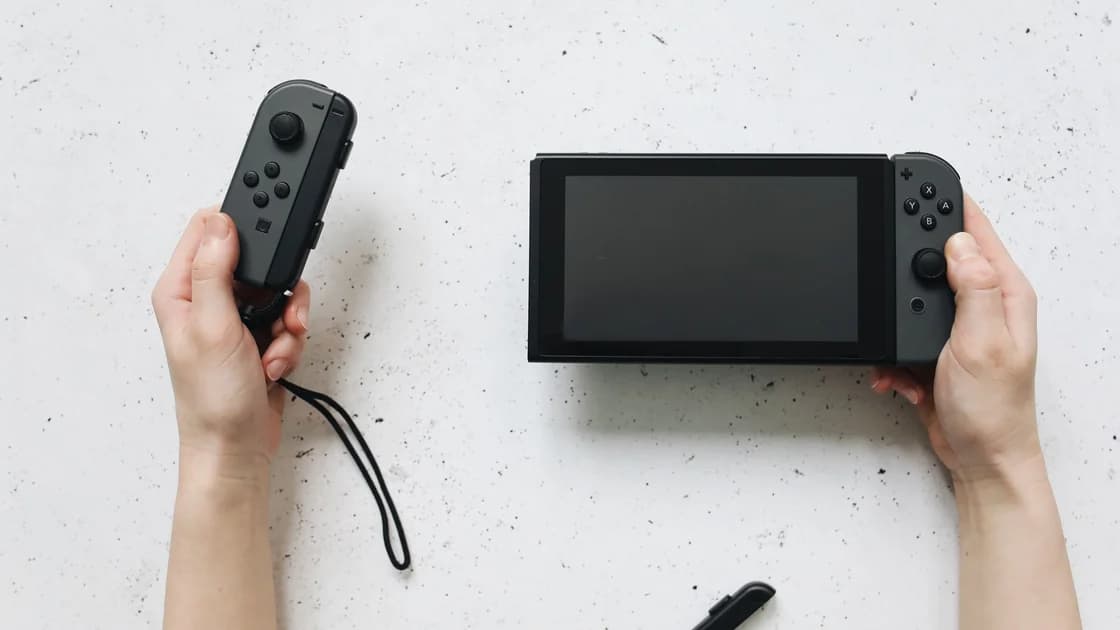

Nintendo Switch Online in China must be separated from Tencent's mainland Switch network service. The mainland eShop stopped sales on March 31, 2026, and downloads, redemption, and other network operations stopped on May 15, 2026; an overseas Switch and its Nintendo Account belong to a different service environment. Do not diagnose that mainland shutdown as a slow connection or assume an overseas membership restores it.[1]
Key Takeaways:
- Identify a Tencent mainland console before applying overseas account advice.
- The mainland shutdown deadlines have passed; protect existing installations and saves.
- Overseas online play still requires the appropriate account, entitlement, and connection.
- Do not initialize a mainland console as a connection experiment.
Start with the console's sales version and the account arrangement it actually uses. “A Switch bought in China” is not precise enough: a mainland retailer can sell imported hardware as well as an officially distributed mainland model. Check the product documentation and the service provider rather than guessing from the menu language.
Tencent's mainland operational notice concerns the mainland Switch service. Nintendo's overseas membership information concerns Nintendo Switch Online and Nintendo Accounts.[1][2] These are not two names for one subscription. Do not assume that paying for the overseas membership changes the mainland hardware's account system or restarts a closed service.
Use this distinction when reading older tips. A suggestion published before the shutdown may describe a download or redemption operation that is no longer offered. Its historical success is not a reason to repeat the procedure now, especially if it requires deleting installed software or resetting the console.
| Environment or task | Evidence to check | Useful conclusion | Unsafe inference |
|---|---|---|---|
| Tencent mainland network service | Official shutdown notice | Operations have stopped on the stated schedule | Another route will restart them |
| Mainland installed software | Official affected-software guidance | Some local functions can remain usable | Every online-dependent feature remains |
| Overseas Nintendo Switch Online | Account and current regional membership rules | The applicable service requirements | The mainland service is included |
| Overseas online play | Game, entitlement, and actual session | That title works in that setting | All Nintendo functions work |
| Save protection | Local save and backup conditions | Which copy is actually retained | A subscription guarantees restoration |
The sales cutoff was March 31, 2026, at 22:00, and the cutoff for downloads, redemption, and other network operations was May 15, 2026, at 22:00, in the mainland notice's local time. The official user guidance also warns about initialization, deleting software, and deleting linked users after service adjustments.[1] These dates belong to the Tencent mainland service, not a worldwide termination of Nintendo Switch Online.
Because the deadlines have passed, a guide should focus on preserving what is usable. Do not tell a reader to “download everything before May” as though that remains an available action. A past deadline can explain why a function stopped; it cannot serve as a current troubleshooting step.
Avoid initializing the mainland console, deleting installed software to reinstall it, or deleting a linked user as a routine repair. The official notice says relevant network functions, including redownload and system-update services, stop under the adjustment.[1] A destructive experiment can remove local access without a supported way to recreate it.
Ask official support about the exact title and operation if the remaining behavior is unclear. The affected-software guidance linked from that notice distinguishes functions that rely on stopped network services from other software behavior.[3] Do not generalize from one local game launching to every game, add-on, or account feature remaining usable.
An overseas system belongs to a different account and service arrangement, but that fact alone does not prove usability from a particular mainland connection. Verify the Nintendo Account, membership where required, game version, regional feature availability, and the network path. This guide does not present a live mainland online-play test or a promised connection speed.
Nintendo's official support describes service and feature availability by region. An Americas table applies to the Americas; it should not be misread as a global list or proof that China is supported.[2] Check the official documentation for the account's actual region and the intended feature instead of selecting a country to manufacture eligibility.
A membership is not a universal compatibility certificate. Verify whether the exact title and mode require it, which account holds it, and whether the intended feature is offered for that account arrangement. Game-specific online services and their maintenance can still affect a match even when the membership itself is valid.
Use the eShop region and purchase guide for legitimate account-country decisions. That guide addresses buying and account implications; it is not a repair procedure for Tencent's stopped service. Keep the two decisions separate when a seller advertises an “online-ready” console.
Store browsing and multiplayer do not test the same operation. A store listing can appear while a game cannot establish a session, or a game can run locally while a cloud-dependent feature fails. Record the title, mode, and error rather than treating a visible store page as a pass for Nintendo services.
For an overseas console, compare a repeatable task on a trusted connection you are permitted to use, keeping the same game and account. Note whether the game opens, authentication finishes, and a session actually starts. If only one title fails, consult its official service information before changing the entire home network.
The Switch NAT-traversal diagnosis is relevant when an actual overseas multiplayer session reports a connection problem. It is not relevant to restoring a documented mainland shutdown. Do not use a NAT label as evidence that every unavailable service can be repaired by router changes.
A phone using AethoVPN while you read Nintendo's support pages does not carry the Switch's matchmaking traffic merely because both devices share Wi-Fi. The China device and connection guide helps you check supported platforms and permissions before assuming a router or console-sharing method exists.
Do not promise lower latency, regional eligibility, or guaranteed online play from that phone result. The observation concerns a support-page request, while matchmaking has its own client, route, and service conditions. A fair comparison states which device and task changed rather than treating “the VPN is on” as a household-wide condition.
Identify where each important save is stored and what the title's official backup or transfer rules allow. A familiar save icon is not evidence that a fresh cloud copy exists, and an overseas membership should not be assumed to retrieve a mainland account's data. Preserve local copies and avoid testing recovery by deleting the only known working state.
For an overseas console before travel, install legitimately owned software and updates, then check the offline mode you intend to use. Launch the actual game in that mode and note any authentication requirement. For a mainland console after the shutdown, rely on current preservation guidance and confirmed existing functions rather than planning a redownload.
Tencent's notice distinguishes copied download data from game saves: the described microSD backup does not back up console settings or save data. The same card's data is tied to its console, and save-transfer services stopped with the network adjustment. Do not mistake a copied game folder for portable save recovery.[1]
Record the console version, account arrangement, game edition, last usable local state, and the operation that now fails. If support recommends a change, clarify whether it could delete software, users, or saves. Do not proceed with an irreversible step while uncertain about the available restoration path.
For families bringing several systems, compare PSN account and content rules with Xbox's product-specific support. Their differences matter more than a generic console checklist. A working account on one system says nothing about Nintendo save transfer or mainland service recovery.
Follow Nintendo's account and service conditions and the rules of the network you use. Network access, account eligibility, and local legal permission are separate questions. China's 2017 network-access notice includes restrictions on unauthorized cross-border business channels involving VPN arrangements; it is not blanket permission for an individual gaming configuration.[4]
A changed IP can affect a service's location check, while account details and licensing still apply. Do not falsify residence, use a seller's shared account, or infer that a successful request authorizes an otherwise unsupported arrangement. If an operation is explicitly unavailable or discontinued, stop and seek a supported alternative.
If multiple unrelated apps also fail, use the mainland multi-app decision path. For other games, read Epic's store-versus-title boundaries and Roblox's player and creator distinctions. Those separate investigations prevent Nintendo's local shutdown from turning into a claim about all gaming in China.
No worldwide shutdown follows from Tencent's notice. The announced deadlines concern the mainland Switch service; overseas Nintendo Switch Online has separate accounts, memberships, and regional conditions.[1][2]
The notice's sales cutoff was March 31, 2026, and downloads and redemption stopped on May 15, 2026, at 22:00. Do not plan a current repair around those discontinued operations.[1]
An overseas Nintendo Switch Online membership belongs to another service environment. It should not be presented as a method for restarting the stopped mainland operations or converting a mainland account.
Do not use initialization as a routine experiment after the shutdown. Preserve installed software and linked users, and consult official guidance about the exact device and title before destructive changes.[1]
The answer depends on the title and feature. Consult the affected-software guidance and check the existing local mode; a game starting does not prove its network-dependent features remain available.[3]
A listing and a multiplayer session are different checks. Verify the intended title, account, membership requirement, and an actual session without treating a small web request as a game-network test.
No such guarantee is supported here. It does not establish entitlement or restore a shutdown, and this guide supplies no supported native Switch client, router installation, or console-sharing procedure.
Disclaimer: VPN regulations vary by country and region and are subject to change. This article does not constitute legal advice. Please review and comply with your local laws before using a VPN.
Sources:
Sources checked 5 October 2026.
Related Articles:
Sign up to experience all premium features at no cost.
*Available only to new users. Each user is limited to one trial.