Start your 3-day free trial
Sign up to experience all premium features at no cost.
*Available only to new users. Each user is limited to one trial.


When phone calls go straight to voicemail, the call was routed to voicemail before your phone could ring, or it rang silently. The usual causes are Focus or Do Not Disturb, a blocked or filtered caller, call forwarding, a dual-SIM line problem, or weak service that leaves the phone unreachable. First check whether it happens to one caller, unknown callers, one SIM line, or everyone, then run a controlled call while watching the phone.
Do not begin with an unverified star code, a network reset, or permanently disabling spam protection. Record the scope, change one reversible setting, and test again.
Key Takeaways
- Compare one known contact, one unknown number, and all incoming calls.
- Check Focus or Do Not Disturb, blocks, and unknown-caller filtering separately.
- Verify call forwarding and the intended dual-SIM line through visible settings.
- Treat ring duration and carrier voicemail routing as carrier-controlled when appropriate.
- Preserve spam protection and saved network details unless a controlled test justifies a change.
For the broader order of reversible checks, see the device and app troubleshooting guide.
Use two or three authorized test calls. Do not publish the callers’ numbers or voicemail contents.
| Result | Most useful next check |
|---|---|
| Only one saved caller is diverted | Block list, contact number, caller-side ID, carrier block |
| Saved contacts ring but unknown numbers do not | Unknown-caller screening, spam filtering, Focus exceptions |
| Calls to one SIM line fail | Line enabled state, forwarding, plan, service, carrier routing |
| Every caller goes directly to voicemail | Focus, forwarding, service, account, device or carrier |
| Phone rings but no sound or vibration | Silent mode, volume, audio route, notification behavior—not direct diversion |
| No voicemail and no missed-call record | Caller dialed wrong number, line inactive, outage, or routing problem |
Check Recents and voicemail after each test. A missed-call entry proves the network delivered some call information to the phone even if it did not audibly ring. No record at all makes the dialed number, account, outage, and carrier routing more important.
If calls ring but app alerts do not, use the iPhone notification guide or Android notification guide. Phone-call routing and ordinary app notifications share some interruption settings but are not the same service.
Route to voicemail means the call was sent to your voicemail box instead of ringing through to you. The phrase shows up in carrier explanations, call logs, and some contact settings, and the decision can be made in two places.
| Where the call is routed | Typical trigger | What to check |
|---|---|---|
| On the phone | Focus or Do Not Disturb, a blocked number, unknown-caller screening or filtering, a per-contact voicemail option | Phone settings and the caller's contact card |
| In the carrier network | Call forwarding, an unreachable or unregistered line, a short no-answer timer | Forwarding settings, signal, and the carrier account |
Apple's checklist for calls that skip ringing covers the phone side: Focus, Silent mode, unknown-caller screening and filtering, and Blocked Contacts.[1] Its separate guide for calls that fail adds forwarding and carrier account checks.[2] Some Android contact apps also offer an option named Route to voicemail or All calls to voicemail on a single contact. When it is on, that person's calls skip ringing even though the number is not blocked, so open the contact's menu and turn it off if you did not set it deliberately.
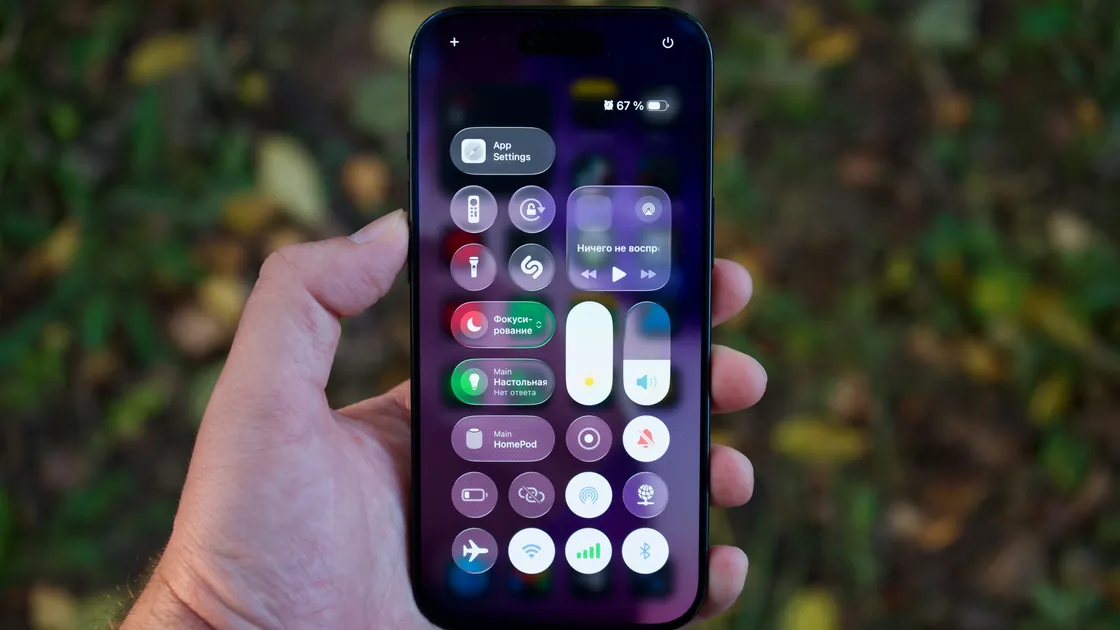
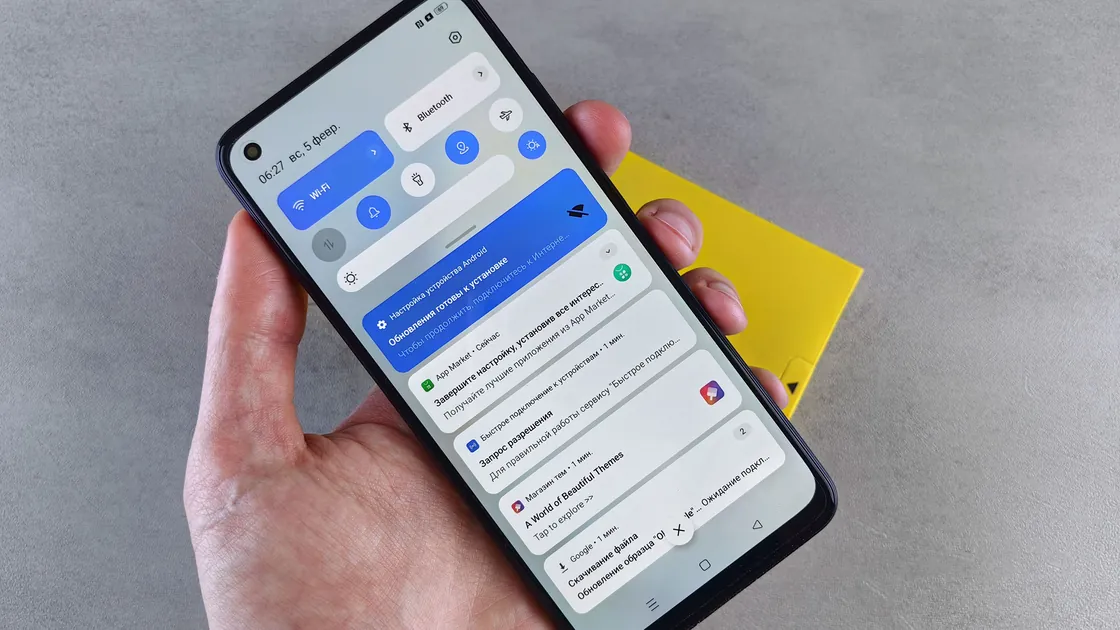
Check the current screen before editing schedules. On iPhone, open Control Center and look for an active Focus such as Do Not Disturb, Sleep, or Work. Apple’s dedicated straight-to-voicemail guidance starts by checking Focus and silent mode.[1] On current Android versions, Modes or Do Not Disturb can block or allow calls by person and can let a repeat caller through when the same person calls twice within 15 minutes; settings vary by phone.[3]
Use a short test:
Do not delete a carefully configured sleep, work, driving, or accessibility schedule merely to test it. A mode can also activate automatically by time, location, driving state, app, or bedtime schedule. Check automation after a manual test succeeds.
Silent mode and low ring volume normally make a delivered call quiet; they do not necessarily send it directly to voicemail. Still, Apple includes Silent mode in its preliminary checks because a silently delivered call can look like immediate voicemail when nobody observes the screen.[1] Check the ringtone with a local preview and make sure audio is not routed to a connected headset or car.
If the phone shows the call briefly and then diverts, check whether a side button, case, wearable, headset, or car control is rejecting it. Remove only the case or disconnect one accessory for the comparison; do not unpair every device at once.
For one affected person, open the saved contact and compare the complete number, including country code, with the incoming call record. Then review the phone’s blocked-number list. Apple directs users to review Blocked Contacts and, under Settings > Apps > Phone, to check Screen Unknown Callers and the Unknown Callers option in Call Filtering.[1]
Unknown-caller and spam tools may silence, screen, label, or filter calls rather than treat every caller identically. The exact behavior depends on the phone, region, carrier, and phone app. Test with one authorized unsaved number before changing protection.
If unknown calls are the only problem:
Do not permanently turn off all spam protection. Instead, use the narrowest exception or contact rule that allows expected callers. A short temporary comparison should be followed by restoring the protection and reviewing its allowlist. The spam-call guide explains how to balance filtering with missed-call risk.
If only one caller remains affected after unblocking and adding the correct number, ask them to verify their outgoing caller ID and dialed number. Their carrier may be withholding or formatting the number in a way that triggers screening. Do not ask them to expose account secrets or use a spoofing service.
Open the phone app or cellular settings and inspect Call Forwarding for the affected line. Apple includes checking that Call Forwarding is off, under Settings > Apps > Phone > Call Forwarding on current iPhones, in its general unable-to-receive-calls procedure.[2] On other phones, the menu name and availability depend on the carrier.
Use visible settings or the carrier’s official app and support pages. Do not enter a star, hash, or MMI code copied from a forum: carrier codes differ, and an incorrect code can enable, disable, or redirect forwarding without a clear record.
Conditional forwarding to voicemail may occur when the line is busy, unanswered, or unreachable. The number of rings before voicemail is often set by the carrier rather than the phone. If calls ring briefly but not long enough, ask the carrier whether it supports changing the no-answer timer. Do not promise a specific duration or universal code.
For dual SIM:
Wi-Fi Calling can help when mobile coverage is weak, but it depends on carrier support, account provisioning, emergency-address requirements, and a working internet connection. Apple’s straight-to-voicemail page suggests enabling Wi-Fi Calling when the mobile connection is weak or unavailable if the carrier supports it.[1] It is a coverage path, not a substitute for correcting an unintended block or forward.
Look at the status bar and SIM settings. If the phone shows No Service, SOS only, an inactive line, or a missing SIM, incoming calls may reach carrier voicemail without reaching the phone. Test in one other safe location and toggle Airplane Mode on, wait several seconds, and turn it off. Restart once.
Apple advises asking the network provider to confirm that the account is set up for the phone, there is no local outage or billing block, and calls have no carrier-system error.[2] Provide the time of two recent test calls, the dialed line, approximate location, and whether Recents showed anything. That gives the carrier a narrow trace window.
Check for a carrier-settings update and a stable operating-system update after backing up the phone. Do not reset network settings yet. A reset removes saved Wi-Fi passwords and may change VPN and APN settings; Apple states this explicitly in its later network-check step.[2]
If the problem happens only abroad, confirm roaming, line status, and visited-network support with the carrier. Use the no-service-abroad guide when the phone cannot register. Voicemail retrieval while roaming may also have separate charges or access rules.
If the account recently changed—new SIM, eSIM transfer, ported number, suspended service, or voicemail migration—tell the carrier. A successful outgoing call does not prove incoming routing and voicemail provisioning are correct.
Preserve a short evidence log:
Then update the phone through the official path and retest. If the phone app has a cache-only clear option on Android, use manufacturer guidance and avoid clearing all data unless call history, voicemail integration, and settings are backed up. Do not erase the phone as a routine voicemail fix.
Network settings reset is a late, evidence-based step after the carrier confirms routing and the fault follows the phone across locations. Back up Wi-Fi, VPN, APN, and other network details first. Test immediately after the reset before reinstalling call filters so the result is interpretable.
Escalate to the carrier when calls never reach the device, one line has incorrect forwarding, voicemail timing is wrong, or recent porting and activation are involved. Escalate to the device maker when several active SIMs from different authorized accounts reproduce the problem on one phone after carrier routing is verified, or when the phone has radio, liquid, or impact damage.
For emergency-call reliability, do not wait on an uncertain device. Use another available phone or the local emergency-service method. Voicemail troubleshooting is not a substitute for a verified emergency communication path.
Check the saved number, country code, blocked list, Focus exceptions, and filtered calls. If those are correct, ask the caller to verify the dialed number and outgoing caller ID.
Unknown-caller screening, spam filtering, or a Focus rule is probably treating them differently. Test one expected unsaved caller and create a narrow exception instead of disabling all protection.
Yes. Depending on the phone and mode rules, calls may be silenced or diverted while selected people or repeat callers are allowed. Check the active mode and its People rules.
The call may be rejected by a button or accessory, or the carrier’s no-answer timer may be short. Check on-screen behavior and ask the carrier about supported ring-duration settings.
Only if your carrier’s official instructions provide the exact code for your line. Prefer visible phone settings or the carrier app because codes vary and can change routing.
Yes. If the phone is unreachable, the carrier may route calls to voicemail. Compare another location, check line service, and ask about outages or Wi-Fi Calling support.
That line may be disabled, forwarded, unregistered, blocked by the account, or unavailable during another call. Test each number and inspect settings for the affected line.
It is a late test after Focus, blocks, forwarding, service, and carrier routing. It removes saved network information, so back up those details and follow official device guidance.
Sources checked 4 October 2026.
Sign up to experience all premium features at no cost.
*Available only to new users. Each user is limited to one trial.