Start your 3-day free trial
Sign up to experience all premium features at no cost.
*Available only to new users. Each user is limited to one trial.

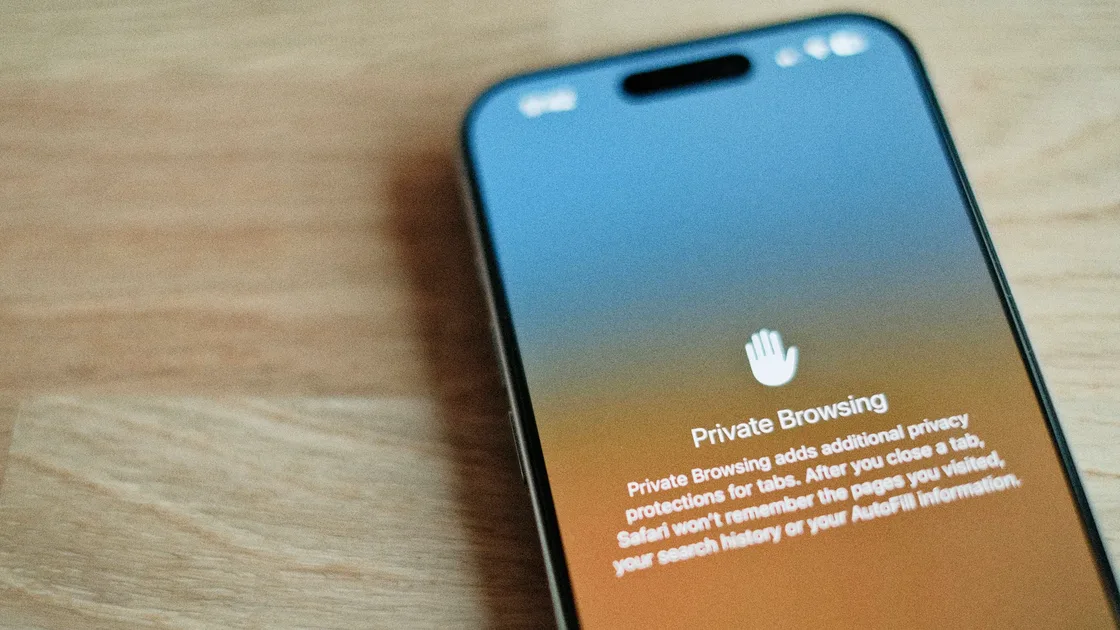
Can private browsing be traced on iPhone? Yes. Safari Private Browsing mainly reduces local history, searches, and tab exposure. It does not automatically hide your IP address, network identity, or website-side activity. In Apple’s documentation, Private Browsing focuses on not saving local history, keeping tabs from syncing, and limiting some tracking features; Apple separately uses iCloud Private Relay for hiding IP information and reducing detailed profiling by websites and network providers.[1][2][3]
In plain language, Private Browsing is closer to “do not let someone holding my phone easily see what I just viewed.” It is not “nobody can tell what I am doing online.”
Use the digital privacy guide as the wider checklist: it connects this issue to accounts, devices, identifiers, and data-broker exposure.
Key Takeaways
- Can Private Browsing be traced on iPhone? Yes. It mainly reduces local traces; it does not make you anonymous online.[1][2]
- Safari Private Browsing does not save pages to history and does not show those tabs on your other Apple devices.[1]
- Apple places IP hiding and protection against detailed profiling by websites and network providers in iCloud Private Relay, not in Private Browsing itself.[1][3]
- Private Browsing helps more against people near your device than against websites, networks, or account-based identification.
- If you use Private Browsing while logging in, accepting tracking, or revealing your real identity, you can still leave identifiable signals.
Apple’s description of Safari Private Browsing centers on a few things:
These are useful protections. But most of them reduce local and cross-device visibility. They do not make you disappear from the network layer.
The key is that Apple separates two different capabilities:
So the practical conclusion is: if you only enable Private Browsing and do not add an IP-hiding layer, websites, network providers, and logged-in platforms may still identify you through network or account signals.
That “may” is based on Apple’s own feature boundaries. It is not an exaggerated claim.[1][3]
Once you sign in, the platform does not need browser history to identify you.
Without additional IP protection, websites can still see connection source information and combine it with other signals. This inference comes from Apple’s Private Relay documentation: the fact that Apple separately highlights Private Relay for hiding IP addresses shows that Private Browsing itself does not handle that job.[1][3]
If you are on a company, school, or public network, Private Browsing does not automatically erase every network-layer signal.
It is best for scenarios like these:
If your main concern is “can someone holding my phone see this,” it is useful. If your question is “can websites, ISPs, or network admins identify me,” it is not enough.
| Your goal | Is Private Browsing alone enough? |
|---|---|
| Avoid local history | Usually yes |
| Avoid syncing private tabs | Usually yes |
| Hide your IP | No |
| Reduce website-side profiling | Not by itself |
| Avoid account-based identification | No |
Prevent Cross-Site Tracking, Privacy Report, and IP-related settings;[1]If you choose a VPN for that IP layer, AethoVPN on an iPhone works through the configuration from its setup guide, which the Pro and Premium plans include and Standard does not; once connected, sites see the VPN exit address instead of your home or carrier IP, in private tabs and normal tabs alike. Compare AethoVPN Pro and Premium for iPhone Signed-in accounts and downloaded files still identify you the same way.
If you mainly want to know how to turn it on and off, read how to enable Private Browsing on iPhone in 3 steps.
Many people use Private Browsing while still:
At that point, the problem is not whether browser history is saved. It is whether you keep exposing the same identity.
To go deeper, read what Private Browsing does, what it hides, and what it does not hide and whether Incognito mode hides your IP address.
Safari Private Browsing does not add visited pages to ordinary browsing history. This local behavior does not mean the website or a signed-in account keeps no records.[1][2]
Hiding IP addresses is not the core role of Private Browsing itself; Apple places that layer in iCloud Private Relay.[1][3]
Possibly. If you sign in or expose network-layer identity, you may still be identified.
No. Private Browsing mainly limits local browsing traces, while iCloud Private Relay addresses network-layer exposure. Private Relay comes with an iCloud+ subscription, sends Safari traffic through two separate relays so websites see a temporary IP address instead of yours, and is not available in every country or region. Enabling one should not be treated as enabling the other.[1][3]
In purpose, yes. Incognito is the name Google Chrome uses for its private window, including Chrome on iPhone, while Safari calls it Private Browsing; both stop the browser from keeping your pages, searches, and form data after the session ends.[2][4] Google notes that websites, schools, employers, and internet providers may still observe Incognito activity, which is the same limit Safari Private Browsing has.[4]
It is best for shared-device privacy, temporary sensitive searches, and reducing local history residue.
Check cross-site tracking prevention, Privacy Report, and IP-related privacy settings.[1]
Disclaimer
This article is for general privacy education only. Different iOS versions, regions, and Apple service availability may affect exact settings and behavior.
Sources
Sources checked 4 October 2026.
Related Articles:
Sign up to experience all premium features at no cost.
*Available only to new users. Each user is limited to one trial.