Start your 3-day free trial
Sign up to experience all premium features at no cost.
*Available only to new users. Each user is limited to one trial.

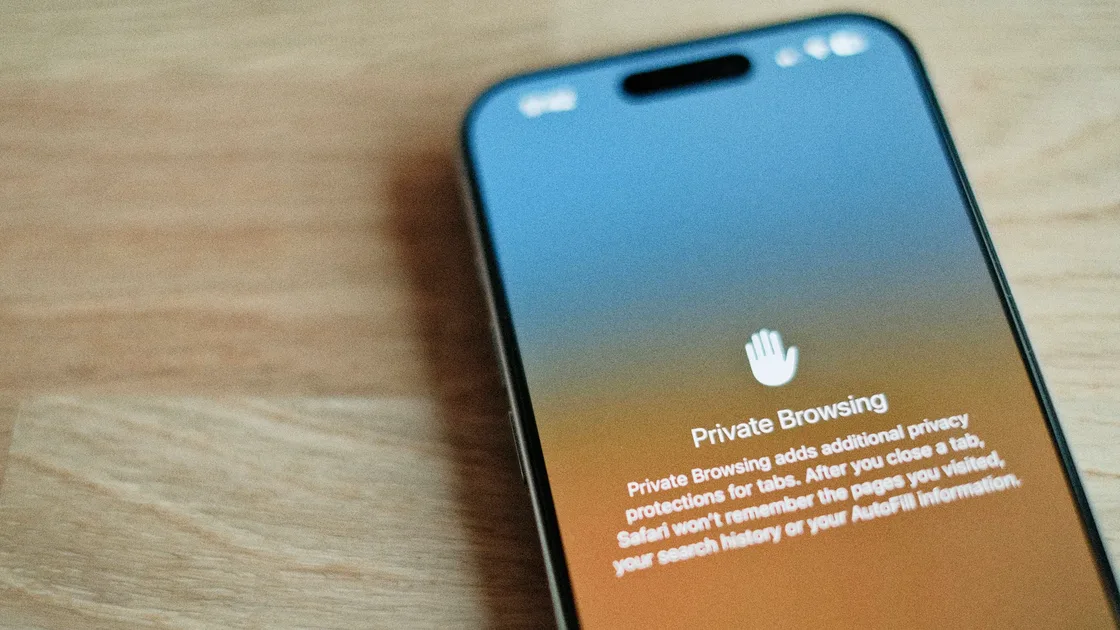
Private browsing is a separate window mode, called Incognito in Chrome, Private Browsing in Safari and Firefox, and InPrivate in Edge, that keeps the session out of the history your browser saves on the device. So what does private browsing do? It mainly stops the next person using this device from seeing your local browsing traces; it does not make the whole internet unable to see you. Google, Apple, and Mozilla describe the same boundary: private browsing reduces locally saved history, cookies, site data, and form traces, but it does not blind websites, internet providers, schools, or company networks.[1][2][3]
That means private browsing is useful, but often overrated. Many people actually want anonymity, IP masking, anti-tracking, or lower network visibility. Private browsing does not directly solve all of those.
Use the digital privacy guide as the wider checklist: it connects this issue to accounts, devices, identifiers, and data-broker exposure.
Key Takeaways
- Private browsing mainly reduces what the browser stores on the local device.[1][2][3]
- It usually does not hide your IP address or stop websites, ISPs, schools, or workplaces from seeing activity.[1][3]
- Safari private browsing now includes stronger tracking and fingerprinting protections, but that is not the same as full anonymity.[2][4]
- Bookmarks, downloaded files, and activity inside accounts you log in to usually do not disappear just because you used a private window.[1][3][5]
- Local traces, website identification, and network visibility are three different problems.
Google describes Incognito plainly: the session ends when you close all Incognito windows, and Chrome then keeps neither a record of the sites you visited nor their site data.[1]
Apple and Firefox describe similar behavior:
In practice, private browsing is good for:
This is the part worth understanding first.
For a focused explanation, read IP visibility in a private browser session.
Chrome does not sign you in automatically in Incognito, but if you sign in inside a private window, the website still knows who you are. Google also notes that sites may gather information about you even when you are not signed in.[1]
Chrome and Firefox both warn that this layer may still observe your activity.[1][3]
If you want to separate that issue, read what a Wi-Fi operator can observe.
Downloaded files remain on your device, and bookmarks usually remain as well.[1][3][5]
Broadly, yes, but the details differ.
| Browser | Common name | Core idea |
|---|---|---|
| Chrome | Incognito | Reduce local storage and session residue |
| Safari | Private Browsing | Reduce local traces and add more tracking protections |
| Firefox | Private Browsing | Reduce saved history and emphasize tracking protection |
| Edge | InPrivate | Similar logic to the others[5] |
The difference is less about whether history is removed and more about:
Apple's current Safari private browsing documentation is no longer just about not saving history. It also mentions:
That makes Safari private browsing more than a simple local-history cleanup mode. But it still does not mean you are fully anonymous.
If you mainly use an iPhone, see open Safari private tabs on iPhone.
The difference is timing.
Both are still device-side actions. If you care about what remains on the device and how to clean it more thoroughly, read manage traces left after private browsing.
Check the session before handing over a shared device: Chrome requires all Incognito windows to close, while switching away from Safari Private Browsing leaves its private tabs open and locks them if the iPhone has a passcode. A locked tab is not a deleted tab. Safari also has separate IP-hiding controls and iCloud Private Relay; local-history privacy alone is not proof that a destination cannot see your IP.[1][2]
For example, you can sign in to work and personal accounts separately, or help someone use a service once.
It is especially useful for developers, marketers, and anyone troubleshooting page behavior.
Private browsing is not anonymity.
The private window itself is not a guarantee that your IP is hidden; check any separate masking feature and its scope.
Safari and Firefox add extra protections, but website identity, login state, and network visibility remain separate layers.[2][3][4]
I would not call private browsing useless. For shared devices, temporary sessions, and reducing local traces, it is genuinely practical.
I would also not call it enough privacy protection. The problem you want to solve may not be in the browser's local storage layer at all.
AethoVPN addresses the network route, while private browsing limits local history; neither guarantees that websites or signed-in accounts forget a visit.
No. Private browsing mainly limits records saved by the browser; websites and network operators may still observe activity, so it does not provide complete anonymity.[1][3]
Yes. A signed-in website can associate your visit with that account even when the browser does not keep the session in local history.[1]
Usually no. Private browsing alone does not guarantee a hidden IP; any separate IP-hiding feature has to be checked against its own settings and scope.[1][2][3]
No. Files downloaded during private browsing stay on the device until you delete them; ending the session does not automatically remove those files.[1][3]
Apple's current public documentation does show more tracking and fingerprinting protections, but boundaries still remain.[2][4]
The websites you visit and whoever manages your network, such as a school, employer, or internet provider, may still see the activity.[1][5] Extensions you allow in private windows can record browsing history, and downloaded files stay on the device.[1][5] Private browsing only keeps the session out of the browser's saved history for the next person who uses the device.
Yes. Safari turns off extensions with access to browsing data in Private Browsing unless you allow them, and Edge warns that extensions you allow may still record history.[2][5] Private browsing does not cancel the risks created by login state or unsafe clicks.
Disclaimer
This article is for general digital security education only and does not constitute browser security auditing, forensic, or legal advice. Private browsing behavior changes across browser and operating system versions.
Sources
Sources checked 4 October 2026.
Related Articles:
Sign up to experience all premium features at no cost.
*Available only to new users. Each user is limited to one trial.