Start your 3-day free trial
Sign up to experience all premium features at no cost.
*Available only to new users. Each user is limited to one trial.
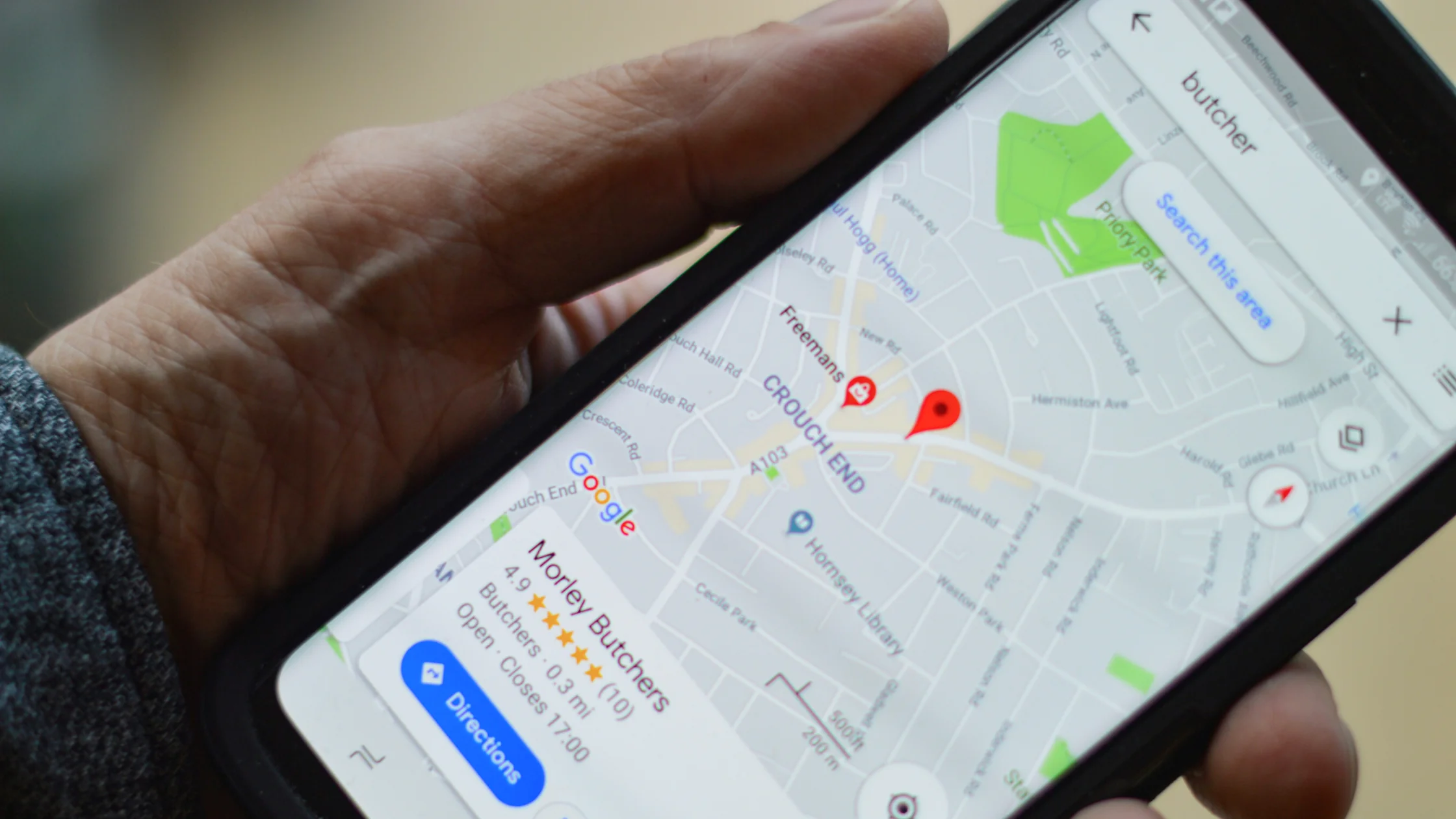

How does Google know your location when you use a VPN? A VPN changes only the IP address that websites see. Through the location permissions you granted, Google can also read GPS, nearby Wi‑Fi networks, cell towers, and device sensors, and it can draw on location history tied to your account. So when Google knows your location with a VPN on, the VPN usually has not failed; IP is just one of several signals.[1][2]
That is why Google Maps, weather apps, and nearby recommendations can still show roughly where you are after your IP has moved to another region. Turning on a VPN is not the same as turning off every location signal.
Key Takeaways:
- Google may still know roughly where you are because location does not come from IP alone.
- A VPN changes your network exit IP; GPS, Wi-Fi, cell towers, sensors, and permissions shape device location.
- Location history and account state can also feed into the estimate.
- To reduce location exposure, review the VPN, system settings, app permissions, and account behavior together.
This distinction is the key to the whole issue.
A VPN directly changes your IP location. Websites see the public IP address of the VPN server, not the exit address assigned by your home broadband or mobile network.
But many Google services, especially on phones, may also use device location. That device location can come from GPS, Wi‑Fi, cellular towers, and sensors, so it can be much more accurate than IP alone.[1]
If you are not sure what VPNs can hide at the IP layer, start with how a VPN changes your network exit and traffic details a VPN can conceal.
You can see this split for yourself with one quick test. In the AethoVPN app, pick a server location in another region, connect, and confirm on the What is my IP page that your public IP now shows that region. Then open Google Maps without touching any permission: if the blue dot stays put while the IP moved, you are looking at device location, not a VPN leak.
The app changes only the network exit, so GPS access, Location Accuracy, and signed-in account history stay as they were until you change them in system and account settings. The test needs only your phone and Google Maps, so start the 3-day free Pro trial with an email verification code instead of a password and run it before you change any location setting.
If your device or browser has precise location permission, GPS often has priority over IP.
That is why a map app may still show your local neighborhood even when you are connected to an overseas VPN node. It is not relying only on IP. It is using a stronger location source.
Google’s Android help documentation is direct: Location Accuracy uses Wi‑Fi access points, mobile networks, GPS, and device sensors to improve location accuracy.[1]
Google Maps Help also says Google uses publicly broadcast Wi‑Fi access point information, GPS, mobile towers, and sensor data to improve location services.[2]
In plain terms, the Wi‑Fi you connect to and the wireless signals around you can become location clues.
Indoors, near tunnels, or among tall city buildings, GPS may be unstable. The system may then rely more on cellular towers, accelerometers, gyroscopes, barometers, and similar inputs to estimate location.[1]
So if you turned off GPS but your device still has a rough idea where you are, that is not surprising.
Google’s documentation also mentions IP addresses among the data used by Location Accuracy.[1] This means a VPN still matters, but it affects only one input.
If the other signals remain available, Google can continue inferring location.
Google Ads documentation says location targeting can use physical location, past searches, past physical locations, and platform settings or behavior.[3] This does not always mean precise real-time tracking, but it can influence nearby businesses, language, regional content, and ad targeting.
Phones usually expose more location signals.
Desktop browsers often depend mainly on:
Phones often add:
That is why the same VPN node may change search results on your computer while your phone’s map still looks local.
If you want to separate account exposure from network exposure, read why a VPN alone does not make you anonymous.
| Reason | What happened |
|---|---|
| Location permission is still enabled | The app or browser can read device location directly |
| Location Accuracy is on | The system still uses Wi‑Fi, towers, and sensors to assist location[1] |
| Google account location settings are still active | History and personalized results are not fully separated |
| The VPN node is too close to your real region | The IP changed, but the visible difference is small |
This matters more than changing VPN nodes. If permission remains enabled, Google or a third-party app may read device location directly.
Android Help explains that when Location Accuracy is on, the system combines more signals to estimate location more accurately. When it is off, the device mainly relies on GPS and sensors, and wireless signal and sensor data are no longer sent to Google servers.[1]
That does not mean the device becomes impossible to locate. It means the accuracy and sources are narrowed.
Google Maps Help says publicly broadcast Wi‑Fi access points are part of the location services system.[2] For regular users, that means the Wi‑Fi environment around you can help a platform infer where you are.
Many people do not actually want to hide every location signal. They want to:
If that is your goal, changing IP with a VPN is often enough. If you want the blue dot on a map to move, a VPN alone is the wrong tool.
If your immediate concern is hiding your real IP, compare the ways to hide your IP address.
Yes. The important part is understanding what it is useful for.
A VPN mainly helps you:
It is not virtual GPS, and it is not the master switch for device location. If you need to change the precise blue dot on a map, you are dealing with a different problem.
If you think “my VPN is on but I am still being located,” check in this order:
On a phone abroad, compare the signals instead of assuming that an unchanged map view proves the VPN failed. Check whether the browser or app has precise location permission, whether Wi-Fi is enabled, whether the device is using cellular positioning, and whether the account or location history is carrying an earlier pattern. A VPN changes the network exit IP; it does not change GPS coordinates or every account signal.[1][2]
If your goal is regional search or a website’s IP-based result, choose a suitable VPN server and test the browser session again. If your goal is accurate local navigation, keep the location tools you actually need and do not confuse a local map result with a VPN leak. Review one setting at a time so you know which signal changed.
The server-location guide for travelers covers the IP-side decision. The international travel guide puts it alongside cellular, Wi-Fi, and account preparation.
If the problem is the language of a page rather than your physical location, follow the website-language checks. They separate site preferences, account and browser settings, cookies, and a controlled VPN exit comparison.
Google knows your location, it often does not mean the VPN is useless. It means location signals go beyond IP.[1][2]Not necessarily. The more common reason is that Maps has device location permission and is using GPS or system location services.
Not always. IP is only one signal Google may use, not the only signal.[1]
It may still estimate a rough location from IP or history, but it usually will not be as accurate as device-level precise location.
Location Accuracy, previously called Google Location Services, combines Wi‑Fi, mobile networks, GPS, sensors, and IP information to estimate device location faster and more accurately.[1]
Not the blue dot. On a phone, Google Maps estimates where you are from satellites (GPS), the location of nearby Wi‑Fi networks, and your mobile network connection, so the dot stays put when a VPN is on.[4] A VPN changes the IP address websites see, not the GPS coordinates on your device. On an iPhone, see which location settings actually need changing.
Choose the right VPN node, then use private browsing or clear location and region-related permissions and cache. That is usually more effective than trying to change device location immediately.
Disclaimer
This article explains general networking and location principles. It is not advice for evading platform policies or regional rules. Actual results vary by device, operating system version, and app permission model.
Sources:
Sources checked 5 October 2026.
Related Articles:
Sign up to experience all premium features at no cost.
*Available only to new users. Each user is limited to one trial.