Start your 3-day free trial
Sign up to experience all premium features at no cost.
*Available only to new users. Each user is limited to one trial.
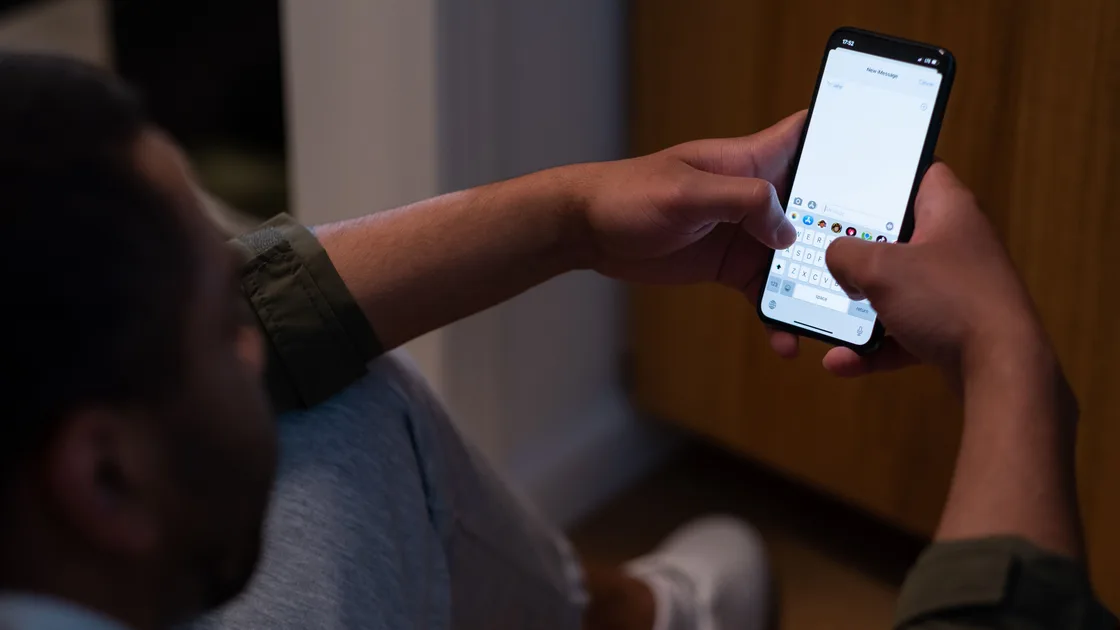

If the symptom is “SMS messages not sending or receiving,” first identify what kind of message is failing. SMS, MMS, RCS, and iMessage can share one conversation screen while using different delivery systems. Then separate sending from receiving, one contact from everyone, and one SIM line from the whole phone.
Do not delete all conversations, clear app data, deregister a working number, or reset network settings before preserving evidence. Start with a short plain-text test that contains no private information.
Key Takeaways
- Identify SMS, MMS, RCS, or iMessage before following a protocol-specific fix.
- Separate sending, receiving, one contact, group messages, and all contacts.
- Confirm the active SIM and default messaging line after a transfer or dual-SIM change.
- MMS needs mobile-data and carrier support checks that plain SMS may not need.
- Back up messages and registration details before clearing data, deregistering, or resetting.
For a general troubleshooting order, use the device and app troubleshooting guide.
Do not rely only on bubble color. Open message details or the app’s delivery information and note the service when it is shown.
| Message type | Typical transport | Useful clue |
|---|---|---|
| SMS | Carrier text service | Plain text to a phone number; no internet required in the usual case |
| MMS | Carrier multimedia service | Photos, videos, some group messages; normally needs mobile data |
| RCS | Carrier/Google-supported data messaging | Chat features, typing and delivery indicators; can fall back depending on settings |
| iMessage | Apple data messaging | Apple registration and internet connection; may offer Send as Text Message |
Apple’s troubleshooting page explicitly covers iMessage alerts, text-message receipt, group messages, and photos or videos as related but distinct branches.[1] Google Messages tells users to confirm whether the carrier supports SMS, MMS, or RCS and gives separate sections for MMS and RCS.[2]
Send one short text such as “test 14:20” to a trusted person. Avoid attachments, links, emoji sequences, short codes, or a group. Ask them to reply with a different short text. Record whether each direction works and whether the app reports sent, delivered, failed, or still sending.
If plain SMS works but a photo or group fails, go to the MMS checks. If RCS or iMessage fails but a manual SMS succeeds, focus on data messaging and number registration. This article does not troubleshoot WhatsApp, Telegram, Signal, or social-app messages; those services use their own accounts and servers.
Use a small test matrix rather than sending many duplicates:
If only one contact fails, verify the complete number and country code. Review blocked numbers and whether the conversation is addressed to an old email address, old SIM number, or duplicate contact card. Google advises checking whether a specific contact is blocked, whether the number is correct, and whether a country code is required.[2]
Do not delete the conversation first. Starting a new thread to the verified phone number is a reversible test and preserves the old evidence. If the new thread works, the old thread may have been bound to an obsolete address or messaging identity.
If you can send but cannot receive from anyone, check storage, blocked/spam folders, default app, line registration, and recent phone migration. If you can receive but not send, check plan credit, outgoing SMS restrictions, correct default line, and the exact error. If neither direction works and calls also fail, the SIM, service, or account is the more likely common layer.
For unexpected payment requests, login links, or verification-code theft attempts, do not troubleshoot by replying. Use the text-message scam guide and contact the organization through a known channel.
Open SIM or cellular settings and confirm that the intended line is enabled. In a dual-SIM phone, check the default SMS line and the line selected inside the conversation. A data-only travel eSIM may not support SMS even though mobile data works.
On iPhone after setting up a new device, Apple tells users to ensure the desired phone line is turned on, select the phone number in Messages, and toggle iMessage off and back on for that migration-specific branch.[1] Do not toggle or deregister blindly if the problem is only plain SMS; first identify the protocol.
On Android, verify that the intended app is the default texting app. Google Messages lists this among its first checks, together with SIM installation, app updates, plan balance, signal, and Airplane Mode.[2] A second messaging app can display history without being allowed to send or receive carrier messages as the default.
Check these basics:
Restart once after recording the state. Avoid editing the SMS service-center number from an online post. That setting is carrier-specific, may be hidden, and should be verified by the carrier if outgoing SMS fails.
If the problem began after moving from iPhone to Android, the number may still be registered with iMessage. Google’s guidance specifically says to deactivate iMessage when switching from iPhone to Android.[2] Use Apple’s official deregistration process or the old iPhone’s settings; do not give a verification code to an unofficial service.
If messages are missing after changing Android messaging apps or moving devices, RCS may still be registered on the old phone. Google notes that users who change messaging apps and stop receiving messages may need to turn off RCS chats.[2] Prefer the supported transfer or deactivation flow and keep the old device online only as long as the official process requires.
Before changing registration:
Do not repeatedly toggle registration or request many codes. Carrier and platform anti-abuse limits can delay activation. The SIM-change messaging guide covers account recovery and continuity for apps that are separate from SMS.
If a number was recently ported between carriers, ask both the new carrier and, if required, the previous carrier about completion. Voice, outgoing SMS, incoming SMS, short codes, and international messaging can migrate on different timelines. Give support exact test times and directions.
MMS normally needs a working mobile-data connection even while the phone is on Wi-Fi. Test mobile data through a small trusted page, then retry one small photo. Google’s MMS guidance says to ensure a data connection and discusses APN defaults and group-messaging mode.[2] On iPhone, Apple separates group-message and photo/video issues from plain text.[1]
If mobile data itself fails, use the iPhone cellular-data guide or Android mobile-data guide. Do not change APN values to random settings. Use carrier or device defaults and record any managed configuration before resetting APNs.
Check free storage. Google warns that Messages may stop sending or receiving when the device lacks space.[2] Free space by moving or deleting known large personal files after backup, not by erasing the entire message database. Also check whether the spam or blocked folder contains expected messages and whether a storage-cleaner app has restricted the messaging app.
On Android, clear the messaging app’s cache only if the manufacturer provides that option and the message database is backed up. Clearing storage or app data can remove settings and locally held messages. On iPhone, offloading or deleting Messages is not a routine carrier-SMS repair.
Group behavior depends on MMS, RCS, iMessage, participant devices, and the app’s group versus mass-text setting. Diagnose a one-to-one plain text first. A group splitting into individual threads does not prove all SMS delivery is broken.
Contact the carrier when plain SMS fails across multiple trusted contacts after the correct SIM, default app, number, signal, and account balance are confirmed. Ask it to verify:
Use official carrier contact details. Never disclose a one-time login or port-out code to an inbound caller or text. A carrier may request account verification after you initiate contact, but it should not need your messaging-app password.
Provide exact timestamps, recipient network if known, direction, protocol, error, and whether calls work. Do not send dozens of duplicate tests; they make carrier traces and recipient experience worse.
Network settings reset is a late step after registration and carrier provisioning are checked. It can remove Wi-Fi networks, VPN settings, and APN customizations. Back up those details, follow the device maker’s official steps, and test plain SMS before reinstalling or reconfiguring other network tools.
Factory reset is not a normal SMS fix. Escalate to the device maker if multiple active SIMs reproduce the failure on one phone after the carrier confirms provisioning, or if the radio has impact, liquid, or hardware faults. For time-sensitive account access, arrange an alternate verified recovery path instead of relying on a broken SMS channel.
Check the default SIM line, plan credit, outgoing restrictions, signal, recipient format, and exact error. Ask the carrier to verify outbound SMS provisioning if several contacts fail.
Check blocked and spam folders, storage, old iMessage or RCS registration, recent number porting, and inbound provisioning with the carrier.
Photos usually use MMS or a data-messaging service. Confirm mobile data, MMS support, APN defaults, file size, and the protocol shown in message details.
Verify the full number and country code, block status, and whether the thread points to an old number or email address. Test a new thread without deleting the old evidence.
Often it cannot. Check the plan’s documented voice and SMS capabilities and select a different enabled line for SMS when appropriate.
Not first. Clearing data can remove settings and local messages. Back up conversations, test cache-only steps if supported, and confirm carrier and registration state beforehand.
Activation and porting times vary. If the official window has passed, give the carrier exact inbound and outbound test timestamps and ask it to verify routing.
It can help some device-side network faults, but it removes saved network information. Use it only after protocol, line, app, registration, and carrier checks, with a backup first.
Sources checked 31 August 2026.
Sign up to experience all premium features at no cost.
*Available only to new users. Each user is limited to one trial.